 comparison
Electric AI Alternatives for SMBs: Top Platforms Compared
Table of Contents
- What You Need to Know About Electric AI Alternatives for SMBs
- Managed IT Services for Small Business: Core Capabilities
- Top Electric AI Alternatives: Feature Comparison
- Cost of Managed IT Services for Small Business: Pricing Models Explained
- How to Choose an IT Provider for SMB: Evaluation Framework
- Why AI-Driven Platforms Alone May Fall Short for SMBs
- Conclusion
Last Updated: August 29, 2026
What You Need to Know About Electric AI Alternatives for SMBs
Small and mid-sized businesses face a persistent challenge: managing IT infrastructure without the resources of larger enterprises. The gap between what you need and what you can afford to build in-house has widened as cybersecurity threats have grown more sophisticated and compliance requirements have tightened. Electric AI alternatives for SMBs, platforms that combine remote monitoring, automation, and intelligent support, replace expensive internal IT teams.
At VegaMSP, we've worked with growing businesses facing this dilemma. Many start by patching systems reactively, losing productivity to downtime and security vulnerabilities. The real opportunity lies in finding a managed IT approach that scales with your business without rigid contracts or hidden costs.
The platforms examined here represent different philosophies: some focus on remote monitoring and patch management, others on identity and device control, and a few attempt to cover the full stack. Your job is to match the right approach to your actual operational needs.
Managed IT Services for Small Business: Core Capabilities
Managed IT services for small business typically bundle four core functions: remote monitoring and management (RMM) of endpoints, patch management across operating systems and applications, endpoint security and compliance enforcement, and helpdesk support for user issues. These capabilities work together to reduce downtime, lower breach risk, and free your team to focus on revenue-generating work.
The difference between platforms often comes down to how they prioritize these capabilities. Some excel at automation, automatically patching thousands of devices and applying security policies without manual intervention. Others prioritize visibility, giving you real-time dashboards of what's running on every endpoint.
For most SMBs, the critical question isn't whether you need managed IT services, but whether your current approach is actually saving money. Break-fix models tend to be most expensive when you need help most. Managed services shift that to predictable monthly costs.
Top Electric AI Alternatives: Feature Comparison
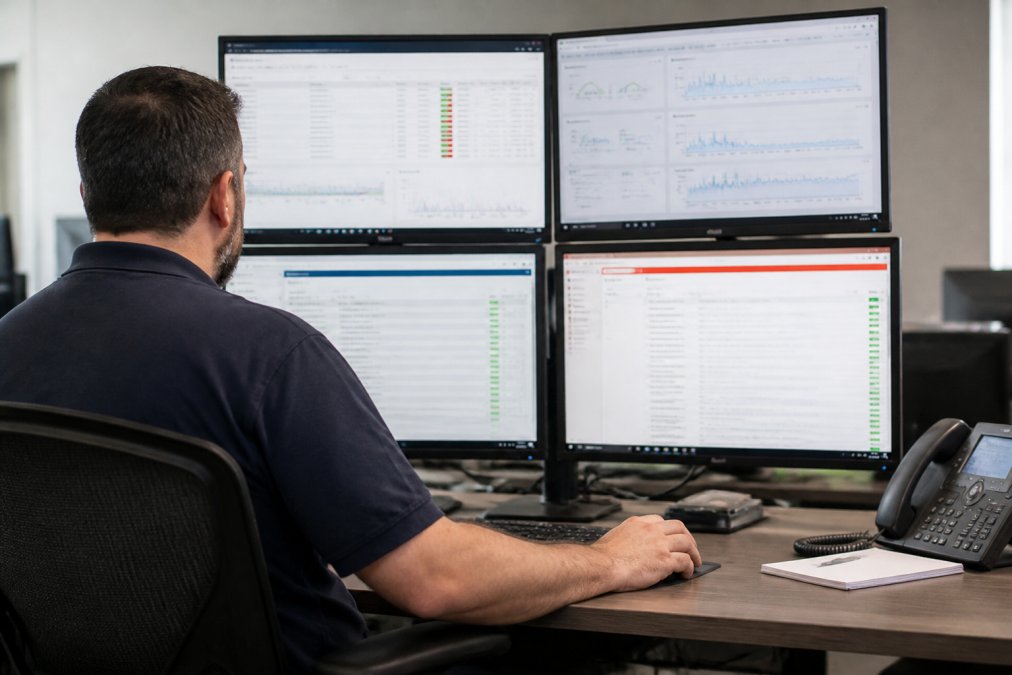
When evaluating electric AI alternatives for SMBs, you're comparing different architectural approaches to managing growing IT complexity without proportional cost growth. The four platforms below represent the most mature and widely adopted options in the market.
| Platform | Primary Strength | Best For | Starting Price |
|---|---|---|---|
| VegaMSP | Unified managed services + VoIP integration | SMBs wanting one vendor for network, security, and communications | Contact for quote |
| NinjaOne | RMM and patch management at scale | MSPs and IT teams managing 50+ devices | $1.50/device/month |
| JumpCloud | Identity and device management | Mixed OS environments needing SSO and device control | $3/user/month (free tier available) |
| ConnectWise | Full-stack IT operations platform | Managed service providers running complex client environments | Contact for quote |
| Datto | Data protection and business continuity | Organizations prioritizing backup, disaster recovery, and ransomware defense | $79/month starting |
VegaMSP: Unified Managed Services with Network and Security Focus
VegaMSP delivers a Secure-IT-In-The-Box model designed for businesses ready to eliminate downtime and scale with confidence. The platform combines fully managed network services, endpoint security, and seamless VoIP integration, three capabilities that most competitors force you to buy separately.
What sets VegaMSP apart is integration depth. Your VoIP is managed within the same infrastructure as your network and security. When an endpoint goes down, your communications stay up. When you add a user, they get provisioned across network, devices, and phones simultaneously. That unified approach eliminates coordination overhead that plagues multi-vendor setups.
The unlimited helpdesk support model directly addresses a common objection to managed services: the fear of slow response times. Rather than tiered support levels that escalate costs, VegaMSP removes that friction entirely.
Pros:
- Secure-IT-In-The-Box delivery eliminates vendor fragmentation
- Fully managed network services reduce infrastructure overhead
- VoIP integration keeps communications aligned with IT infrastructure
- Unlimited helpdesk support with no wait-time escalation
Cons:
- Custom pricing requires direct engagement
- Best suited for businesses ready for full managed transition
NinjaOne: RMM-First Approach
NinjaOne built its reputation on remote monitoring and management, the ability to see what's happening on every endpoint and automate responses without manual intervention. For IT teams managing dozens or hundreds of devices, this capability is essential. Patch management, security policy enforcement, and script execution happen at scale, often overnight.
The per-device pricing model ($1.50/device/month starting) makes costs transparent and scales linearly with your environment. Add-on modules like mobile device management or backup increase the per-device cost, but you control what you buy.
NinjaOne's strength is automation depth. You can build complex workflows that respond to specific conditions: if a device hasn't patched in 30 days, quarantine it; if malware signatures match a known threat, isolate and alert.
Pros:
- Transparent per-device pricing with volume discounts
- Core RMM capabilities included in base subscription
- 14-day free trial with full platform access
- Mature automation and scripting capabilities
Cons:
- No free tier; all customers pay per device
- Add-on modules increase total cost significantly
- Learning curve exists for teams new to RMM
JumpCloud: Identity and Device Management
JumpCloud starts with identity instead of monitoring and patch management. Who has access to what? Which devices are managed? This approach makes sense for businesses with mixed operating systems (Windows, Mac, Linux) and cloud applications needing centralized control.
The free tier (up to 10 users and 10 devices) is genuinely useful for very small teams or testing. The per-user pricing model ($3/user/month starting) scales differently than per-device platforms (jumpcloud.com). Single sign-on and multi-factor authentication are built-in, not add-ons.
Pros:
- Free tier for up to 10 users and 10 devices
- Cloud directory services reduce dependency on on-premises infrastructure
- SSO and MFA included in base subscription
- 30-day free trial with premium support
Cons:
- Per-user pricing becomes expensive as your team grows
- Less suitable for businesses with heavy on-premises infrastructure
ConnectWise: Full-Stack IT Operations
ConnectWise is the platform for managed service providers who need to manage multiple client environments from a single pane of glass. It includes Professional Services Automation, Remote Monitoring and Management, and remote support tools. For a small business considering ConnectWise directly, you're likely over-engineering your solution. ConnectWise shines when managing 20+ client environments with different configurations.
Custom pricing and the requirement to engage sales means you won't know costs until you've invested time in discovery.
Pros:
- Comprehensive integrated platform for complex IT operations
- Scalable from small MSPs to large service organizations
- Strong automation and reporting capabilities
Cons:
- Pricing not publicly available; sales engagement required
- Significant implementation overhead and learning curve
- Overkill for single-organization deployments
Datto: Data Protection and Business Continuity
Datto specializes in backup, disaster recovery, and ransomware protection. The Datto SIRIS platform (starting at $79/month) combines continuous data backup with the ability to spin up a full virtual environment if your primary systems fail.
A backup that's connected to your network and encrypted alongside your data is worthless. Datto's approach isolates backup environments and includes threat detection. If ransomware encrypts your production data, you can recover from a clean backup point.
Datto primarily sells through managed service providers, not directly to end-users.
Pros:
- Comprehensive data protection and business continuity solutions
- Ransomware detection and isolated recovery environments
- 24/7/365 support for MSP partners
Cons:
- Primarily available through MSPs, not direct sales to SMBs
- Best viewed as a component of broader managed services
Cost of Managed IT Services for Small Business: Pricing Models Explained
Understanding how managed IT services pricing works is essential before committing. The three dominant models are per-device, per-user, and tiered service levels.
Per-device pricing (NinjaOne's model) charges you for each computer, server, or managed device. A 50-person company with 60 devices would pay roughly $90/month at NinjaOne's starting rate (ninjaone.com). The cost scales linearly and predictably.
Per-user pricing (JumpCloud's model) charges based on active users. A 50-person company pays for 50 users, regardless of whether each person has one device or three. This works well for organizations with high device-to-user ratios but is more expensive if you have shared devices.
Tiered service levels (ConnectWise and Datto) charge based on the scope of services included. You choose the tier that matches your risk tolerance and operational needs.
Beyond the base platform cost, factor in implementation, migration from your current setup, and training. A smooth migration typically takes 2-4 weeks for a 50-person company.
How to Choose an IT Provider for SMB: Evaluation Framework

Choosing an IT provider is one of the highest-stakes technology decisions an SMB makes. A structured evaluation framework prevents emotional decisions and ensures you're comparing apples to apples.
Start by listing your non-negotiables. Does your VoIP need to integrate with your CRM? Do you need to manage Mac and Linux devices, or just Windows? Are you subject to HIPAA, PCI, or SOC 2 compliance? These constraints eliminate options immediately.
Next, map your current pain points. Are you losing productivity to downtime? Spending too much time on patch management? The best provider for you solves your actual problems.
Security-First Evaluation Criteria
Before price or features, evaluate security posture. How does the provider approach endpoint security? Do they use signature-based detection or behavioral analysis? Do they enforce encryption at rest and in transit?
Ask directly: what's their incident response process if a customer is breached? Do they have 24/7 security operations center (SOC) monitoring, or is detection limited to business hours? For many SMBs, a provider with strong 24/7 monitoring is worth considering.
Review their security certifications. SOC 2 Type II compliance means they've been independently audited for security controls. ISO 27001 certification indicates a formal information security management system (nist.gov). These are credible signals.
Total Cost of Ownership and Migration Impact
The sticker price of a managed IT platform is only part of the cost. Factor in:
Migration costs: Moving from your current setup typically requires professional services time.
Training and onboarding: Your team needs to learn the new platform.
Downtime risk: Even with careful planning, migrations occasionally cause issues. Build in a contingency budget.
Switching costs: Contracts often include early termination fees. Negotiate this before signing.
The total cost of ownership calculation should compare your current annual IT spending against the managed services cost plus migration and training.
Why AI-Driven Platforms Alone May Fall Short for SMBs
The promise of AI-driven IT automation is seductive: intelligent systems that predict failures, automatically remediate issues, and require minimal human oversight. The reality is more nuanced. AI excels at pattern recognition and automation of repetitive tasks, but it struggles with novel problems and context-dependent decisions.
A system can use machine learning to predict which devices are likely to fail based on hardware sensor data. It can automatically patch systems during maintenance windows. It can flag suspicious login patterns and block them.
But an AI system cannot decide whether it's acceptable to take a critical server offline for patching during a high-traffic period. It cannot understand your business context well enough to know that losing access to your CRM for two hours costs more than the security risk of delaying a patch.
This is why the best platforms combine AI-driven automation with human oversight. VegaMSP's approach of pairing fully managed infrastructure with unlimited helpdesk support reflects this reality: automation handles routine work, and experienced humans handle decisions requiring business context.
For SMBs, this means evaluating not just the AI capabilities of a platform, but the quality of human support behind it. A platform with mediocre automation but excellent support staff will outperform one with sophisticated AI but distant, slow support.
Choosing an electric AI alternative for SMBs requires balancing automation capabilities, security posture, cost, and the quality of human support. VegaMSP's Secure-IT-In-The-Box model addresses the core challenge most growing businesses face: the need for enterprise-grade IT infrastructure without enterprise-grade IT budgets. With fully managed network services, endpoint security, seamless VoIP integration, and unlimited helpdesk support, VegaMSP eliminates the vendor fragmentation that drains resources and delays response times. Get started with VegaMSP and scale your business with confidence, knowing your IT infrastructure is secure, reliable, and aligned with your growth objectives.
Frequently Asked Questions
What does Electric AI do, and why would SMBs consider alternatives?
Electric AI provides AI-driven IT automation and support tools designed to reduce manual IT work. SMBs often explore alternatives because they need a balance of automation with human support for complex infrastructure decisions, compliance requirements, and 24/7 incident response. Alternatives like managed IT services combine AI automation with dedicated support teams, offering more comprehensive endpoint management and cybersecurity posture monitoring than AI-only platforms alone.
How do managed IT services for small business differ from AI-only platforms?
Managed IT services include remote monitoring, help desk automation, ticketing systems, and real-time support from human technicians. AI-only platforms focus on automation and workflow optimization. Managed IT services provide service level agreements, incident response guarantees, and vendor management, critical for SMBs handling sensitive data or regulatory compliance. They also handle system administration, user provisioning, and business continuity planning that require human judgment and accountability.
What is the total cost difference between AI platforms and managed IT services?
Cost varies significantly by business size and needs. AI platforms typically charge per-device subscription fees, while managed IT services use tiered pricing based on infrastructure scope. The true cost difference depends on your Total Cost of Ownership: AI platforms may seem cheaper upfront but require in-house staff for implementation, troubleshooting, and compliance management. Managed services include staff, support, and compliance, making them more predictable for SMBs without dedicated IT teams.
How long does it take to migrate to a new IT provider, and will it cause downtime?
Migration timelines typically range from 2-8 weeks depending on infrastructure complexity, data volume, and current system integrations. Professional managed service providers plan migrations in phases to avoid downtime: they establish parallel systems, migrate non-critical endpoints first, then move production systems during maintenance windows. SMBs should expect minimal disruption if the provider follows a structured onboarding process and maintains communication throughout. Ask about migration experience, rollback plans, and SLA guarantees before committing.
This article was written using GrandRanker