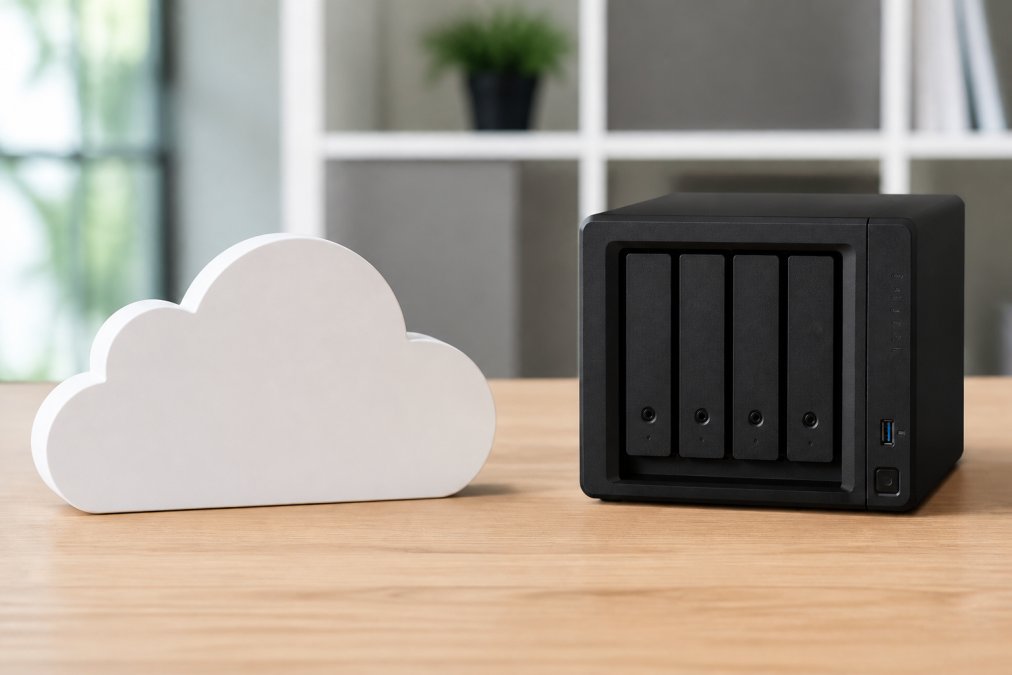
 comparison
Cloud Backup vs Local Storage for Business
Table of Contents
- Cloud Backup vs Local Storage: Core Differences
- Local Storage: Advantages and Limitations
- Cloud Backup: Advantages and Limitations
- The 3-2-1 Backup Strategy for Business Continuity
- Data Recovery Time Objective (RTO) and Business Impact
- Cost Comparison: CapEx vs OpEx Models
- Managed IT Backup Services: Hybrid Solutions for Growing Businesses
- Security, Compliance, and Data Protection Considerations
- Frequently Asked Questions
Last Updated: September 18, 2026
Cloud Backup vs Local Storage: Core Differences
When comparing cloud backup vs local storage, cloud backup stores data on remote servers managed by a service provider, while local storage keeps files on physical devices within your office. This choice shapes recovery speed, annual costs, and accessibility during office disasters.
Local storage means you own hardware, manage backups yourself, and pay upfront. Cloud backup means you rent space from a provider, pay monthly, and they handle infrastructure. The real decision is what your business can afford to lose and how fast you need to recover it.
Local Storage: Advantages and Limitations
Local storage offers instantaneous retrieval with no latency, no internet dependency, and no monthly fees.
Local storage's critical weakness: it's vulnerable to the same disaster that destroys your office. Fire, flooding, or theft wipes out both your data and backups. You're also responsible for managing backup frequency, testing recovery, and replacing hardware, tasks many businesses skip until disaster strikes.
Local storage works well for businesses that:
- Need instant file access without internet latency
- Have IT staff to manage backups and hardware replacement
- Operate in a single location with reliable physical security
- Want to avoid monthly subscription costs
The one scenario where local storage fails: when you need data redundancy. A single external drive in your office is one failure away from total data loss.
Cloud Backup: Advantages and Limitations
Cloud backup distributes data across geographically separate servers, so one data center failure doesn't lose your files. You access data from anywhere with internet and don't manage hardware or scheduling.
Trade-offs include ongoing monthly costs, bandwidth spikes during restores, internet dependency, and potential egress fees when recovering large data volumes.
Cloud backup works well for businesses that:
- Need geographic redundancy and disaster recovery capability
- Have distributed teams working remotely
- Want automated, hands-off backup management
- Can tolerate monthly subscription costs
- Require compliance with data sovereignty regulations
The limitation: cloud backup is slower than local storage for routine file access, and you're dependent on your internet connection.
The 3-2-1 Backup Strategy for Business Continuity
The 3-2-1 rule: keep 3 copies on 2 different storage types with 1 copy off-site. Copy 1 is your primary production data. Copy 2 is a local backup on external drive or NAS. Copy 3 is cloud backup. This covers hardware failure, office disaster, and ransomware recovery.
The 3-2-1 strategy requires both local and cloud storage: local for speed, cloud for disaster recovery. A single backup location leaves you exposed.
Data Recovery Time Objective (RTO) and Business Impact
RTO is how long you can afford downtime before business stops. Local storage offers RTO in minutes; cloud backup in hours depending on data size and bandwidth. If you need 30-minute recovery and cloud takes 2 hours for 500 GB, you miss your RTO.
Calculate your cost of downtime by industry (manufacturing loses thousands/hour; retail loses transactions), then choose a backup strategy matching your RTO. Hybrid backup offers best RTO: restore from local storage quickly, fall back to cloud if local hardware fails.
Cost Comparison: CapEx vs OpEx Models
Local storage requires upfront capital expenditure for hardware; costs are front-loaded but predictable. Cloud backup requires monthly operational expenditure; costs are lower upfront but ongoing. At scale, monthly cloud costs can exceed one-time local hardware costs.
Initial Cost Comparison:
Small business (2 TB): $200-400 local hardware vs. $20-40/month cloud ($1,200-2,400 over 5 years).
Mid-size business (50 TB): Local $2,000-5,000 hardware + $500-1,000 annually for maintenance = $4,500-7,000 over 5 years. Cloud $50-100/month = $3,000-6,000 over 5 years. Break-even depends on data growth and IT labor.
Hidden Cost #1: Egress Fees During Recovery
Most cloud providers charge egress fees ($0.12-0.20 per GB beyond 1 GB/month) when you download data. Recovering 50 GB costs $6-10; 500 GB costs $60-100; 50 TB costs $6,000-10,000. A business budgeting $600 annually may face an $8,000 egress bill during first major recovery. Local storage has no egress fees.
Hidden Cost #2: Bandwidth Impact on Network Performance
Cloud backup consumes bandwidth during backup and recovery. A 100 Mbps connection uploads ~45 GB/day; backing up 500 GB takes 11 days of continuous uploading, degrading team internet performance and competing with cloud applications (Salesforce, Microsoft 365, Zoom). Some businesses upgrade connections ($50-200/month) or schedule backups off-hours, reducing backup frequency and increasing RTO. Local backup has no bandwidth cost.
Hidden Cost #3: IT Labor for Local Storage Management
Local storage requires ongoing IT work:
- Configuring backup schedules and retention policies
- Monitoring backup health and verifying backups complete successfully
- Testing recovery procedures quarterly
- Replacing failed drives
- Managing encryption keys
If your IT staff spends 5 hours monthly managing local backups at $75/hour, that's $375 monthly or $4,500 annually. Over 5 years, IT labor costs $22,500. This often exceeds the cost of cloud backup.
Cloud backup is hands-off, eliminating this labor cost. However, you still need to monitor backup health and test recovery procedures, which requires 1-2 hours monthly.
Total Cost of Ownership (5-Year Comparison):
Small Business (2 TB data):
- Local storage: $200-400 hardware + $2,500 IT labor = $2,700-2,900
- Cloud storage: $1,200-2,400 subscription + $1,000 IT labor = $2,200-3,400
- Winner: Roughly equivalent; cloud slightly cheaper if IT labor is valued
Mid-Size Business (50 TB data):
- Local storage: $4,000 hardware + $22,500 IT labor + $2,500 replacement = $29,000
- Cloud storage: $3,000-6,000 subscription + $5,000 IT labor + $5,000 egress during recovery = $13,000-16,000
- Winner: Cloud backup is significantly cheaper
Large Business (500 TB data):
- Local storage: $15,000 hardware + $45,000 IT labor + $10,000 replacement = $70,000
- Cloud storage: $30,000-60,000 subscription + $10,000 IT labor + $50,000 egress during recovery = $90,000-120,000
- Winner: Local storage becomes cheaper at scale, but requires dedicated IT staff
The Hybrid Approach Reduces Total Cost:
Most businesses benefit from hybrid backup: local storage for speed and immediate recovery, cloud storage for disaster recovery and compliance. This approach:
- Reduces egress fees because you only recover from cloud during actual disasters (not routine file access)
- Reduces bandwidth impact because local backups don't consume internet bandwidth
- Reduces IT labor because cloud backup handles disaster recovery automation
- Maintains fast RTO through local storage
Hybrid backup costs more than either solution alone, but it optimizes for both speed and cost, avoiding the extremes of pure local (high IT labor) or pure cloud (high egress fees and bandwidth impact).
Managed IT Backup Services: Hybrid Solutions for Growing Businesses
Managed IT backup services handle both local and cloud backup for you. They implement the 3-2-1 strategy, test recovery procedures, monitor backup health, and respond to failures.

A managed backup provider removes the burden of backup management from your team. They configure automated backups, ensure data redundancy across local and cloud storage, and test recovery procedures quarterly. When disaster strikes, they coordinate recovery instead of your panicked team scrambling to figure out what to do.
Managed services cost more than DIY backup, but they eliminate the risk of misconfiguration, forgotten backups, and untested recovery procedures. For businesses without dedicated IT staff, managed backup is the only realistic option.
VegaMSP's fully managed network services include backup strategy design, implementation, and ongoing monitoring.
Security, Compliance, and Data Protection Considerations
HIPAA (Healthcare): HIPAA requires encryption of protected health information (PHI) both in transit and at rest, audit logging of all access, and business associate agreements. Cloud backup can meet these requirements if the provider signs a Business Associate Agreement (BAA) and maintains HIPAA-compliant infrastructure. Local storage can also meet HIPAA requirements, but you must personally implement encryption, access controls, and audit logging. Many healthcare practices choose cloud backup because the provider handles compliance infrastructure, reducing the burden of maintaining HIPAA-compliant systems in-house.
Beyond regulatory compliance, consider these practical security differences:
Encryption Key Management: Cloud backup can use provider-managed encryption keys (simpler but higher risk if the provider is breached) or customer-managed keys (more secure but requires you to manage key rotation and recovery). Local storage requires you to manage encryption keys yourself, which is more secure but also more complex. If you lose your encryption keys, your local backups become unrecoverable.
Frequently Asked Questions
Is local or cloud backup better for business continuity?
Neither is universally better, it depends on your recovery needs and risk tolerance. Local backup offers faster restoration speed for frequent data access but provides no off-site protection against physical disasters or ransomware. Cloud backup protects against on-premises failures and ransomware but depends on internet connectivity. Most businesses use both: local storage for fast RTO and cloud backup for data sovereignty and disaster recovery. A managed IT backup service can coordinate both approaches automatically.
What is the 3-2-1 backup strategy and why does it matter?
The 3-2-1 backup strategy means maintaining three copies of your data: one on your primary system, two on different storage media (such as local backup and cloud), and one copy off-site. This approach protects against hardware failure, ransomware, and physical disasters. For businesses, it ensures data redundancy and faster recovery while meeting compliance requirements. Implementing 3-2-1 significantly reduces RTO and prevents total data loss in catastrophic scenarios.
How much does cloud backup cost compared to local storage?
Cloud backup typically operates on a subscription model (OpEx). Local storage requires upfront hardware investment (CapEx) but no ongoing fees. For small teams, cloud is often cheaper initially. As data volume grows, the total cost of ownership favors hybrid approaches. Managed IT backup services bundle both options with monitoring and support, with pricing dependent on data volume, backup frequency, and recovery requirements.
What happens to my data if my internet goes down with cloud backup?
Cloud backup requires internet connectivity for uploads and restores. If your connection fails, scheduled backups pause until connectivity returns. However, cloud providers maintain data redundancy on their servers, so your existing backups remain protected. Local backup continues operating independently during outages. For businesses with unreliable internet or frequent downtime concerns, hybrid backup solutions, combining local storage for immediate access and cloud for off-site protection, address this vulnerability while maintaining data accessibility.